
Instant display
Previously-seen devices appear immediately at startup from the local cache — no waiting for discovery to complete.
Discover and monitor devices on your local network.
NetNeighbor is a free desktop application that automatically finds all devices on your network and displays them with icons or in a list — printers, NAS drives, cameras, routers, 3D printers, and more.
Instant display
Previously-seen devices appear immediately at startup from the local cache — no waiting for discovery to complete.
Automatic discovery
Finds devices without any configuration or active port scan (SSDP, mDNS, WS-Discovery, NetBIOS).
One-click connection
Opens HTTP, HTTPS, SMB, SSH, FTP, SFTP and Telnet with a double-click. Configurable per device and per scheme.
Icon packs
Switch between icon themes. Install community packs or create your own. Per-device icon override with a visual picker.
Device management
Rename devices, tag by location, assign a custom icon or type. Settings are stored locally and survive reboots.
System tray
Runs quietly in the background. Optional autostart at login and minimize to tray.
Cross-platform
Runs on Windows, Linux and macOS. Native SMB credential dialog on Windows.
Localised
French, Spanish, German, Italian, Dutch, Japanese, Simplified and Traditional Chinese.
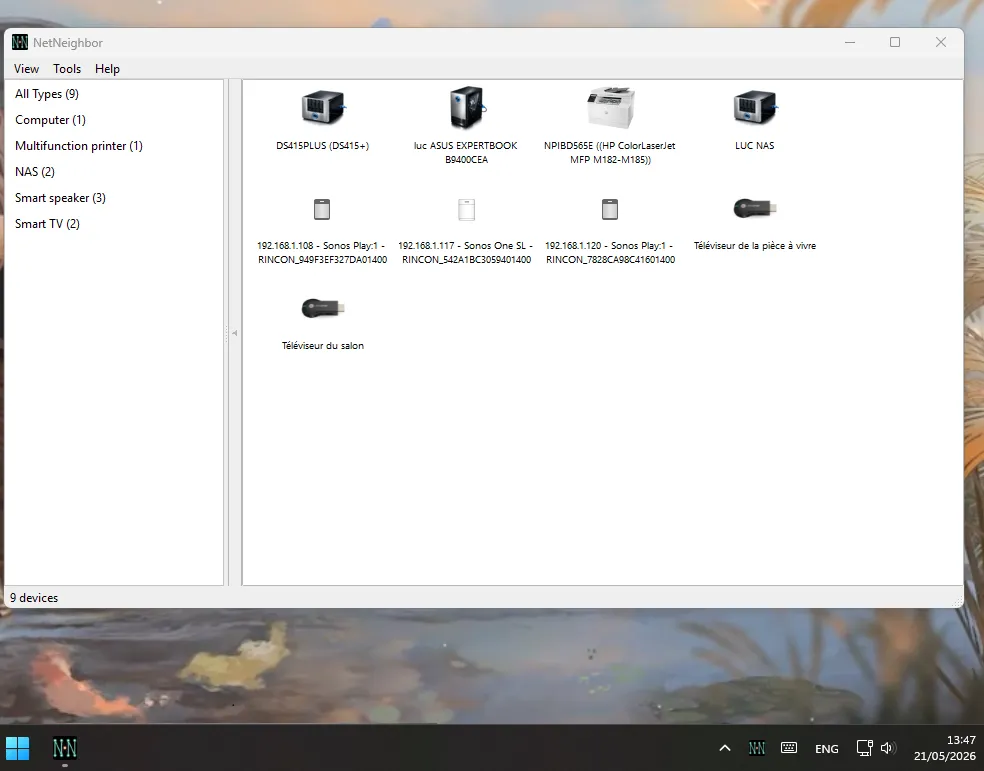
Icon grid with devices grouped by type. Switch to unsorted or list view from the View menu.
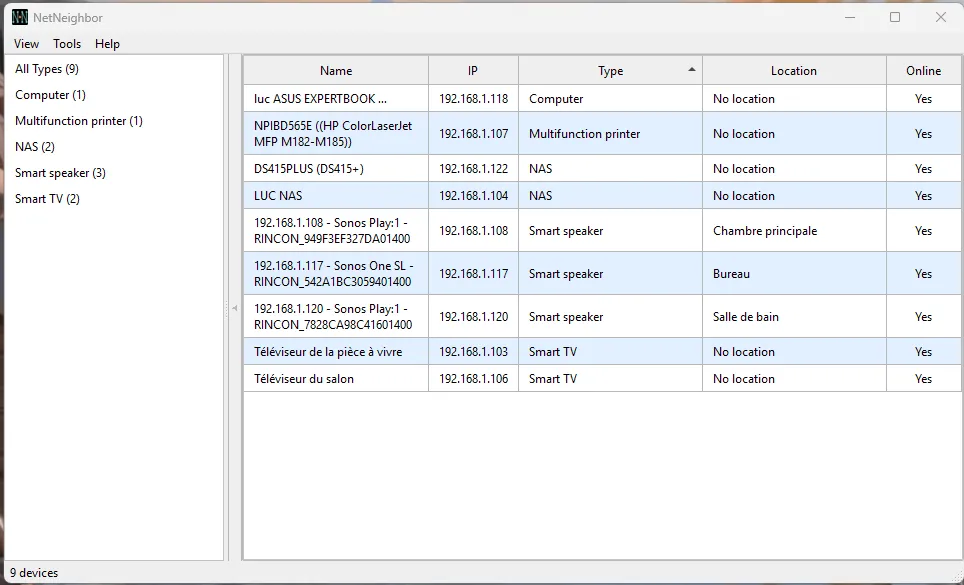
The sidebar groups devices by type or location. Sort by any column in list view.
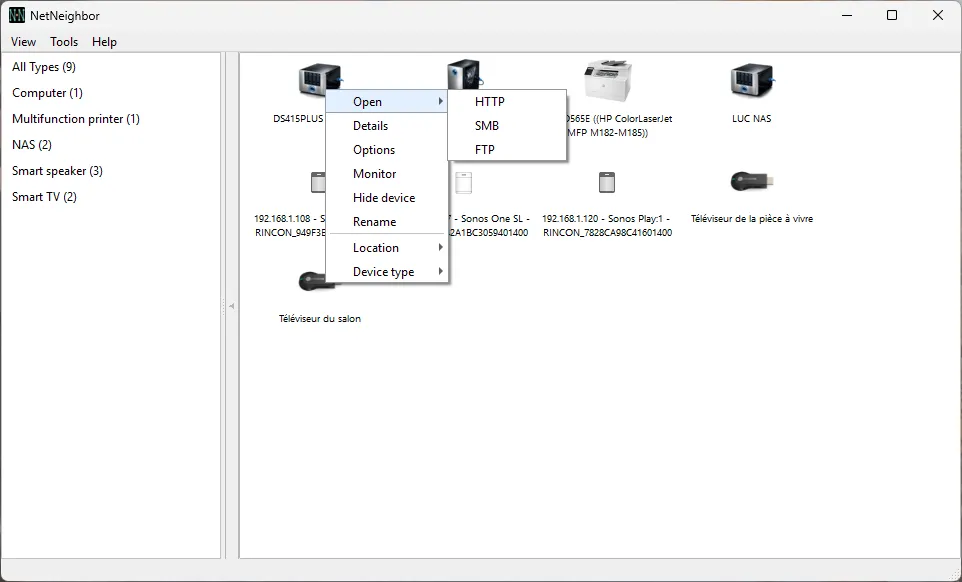
Right-click any device to open it, view its details, rename it, change its type, assign a location, or run a custom command.
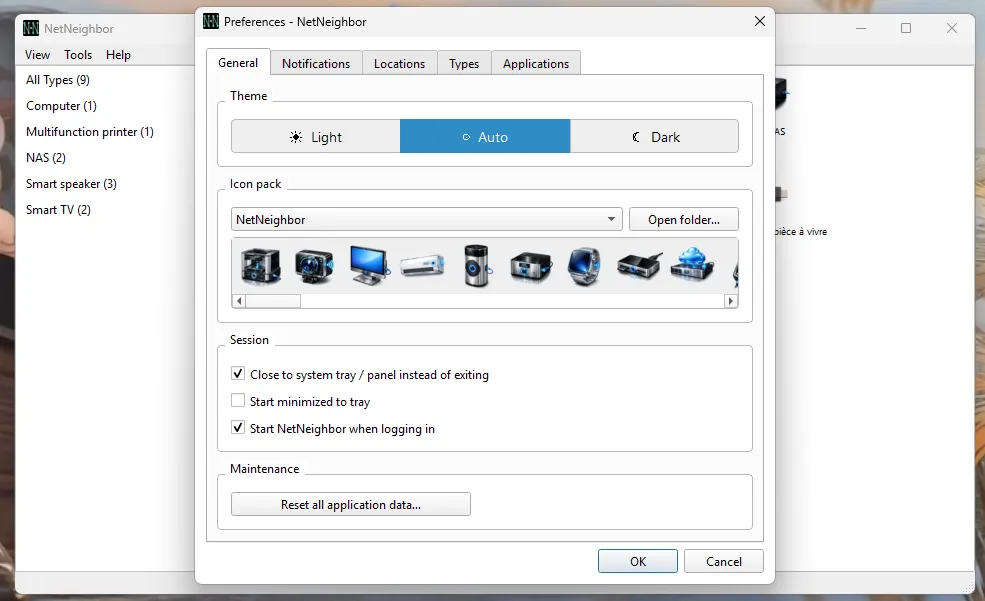
Switch icon packs, choose a light/dark/auto theme, and manage session autostart.
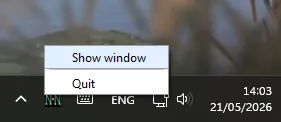
NetNeighbor can minimise to the system tray and start silently at login.
Windows installer
Recommended for Windows 10/11. Installs as a standard application.
NetNeighbor-2.0.0-win64-setup.exeNot code-signed — SmartScreen may warn: click More info → Run anyway.
macOS DMG
Drag NetNeighbor to Applications and launch.
NetNeighbor-2.0.0-macos-arm64.dmg — Apple Silicon (macOS 12+)NetNeighbor-2.0.0-macos-intel.dmg — Intel (macOS 11+)Not notarized — if Gatekeeper blocks it: right-click → Open → Open, or run
xattr -cr /Applications/NetNeighbor.appin Terminal.
.deb package
Recommended for Ubuntu, Linux Mint, and Debian. Dependencies installed automatically.
sudo dpkg -i netneighbor_2.0.0_amd64.debAppImage
Runs on any Linux distribution.
chmod +x NetNeighbor-2.0.0-x86_64.AppImage./NetNeighbor-2.0.0-x86_64.AppImageRun from source
Windows, Linux and macOS.
pip install -r requirements.txtpython main.pyDownload from GitHub Releases
All releases and checksums
| Platform | Requirement |
|---|---|
| Windows | Windows 10 or later |
| Linux | Ubuntu 22.04+, Linux Mint 21+, Debian 12+, or equivalent |
| macOS (Apple Silicon) | macOS 12 (Monterey) or later |
| macOS (Intel) | macOS 11 (Big Sur) or later |
| From source | Python 3.10+ · PySide6 6.5+ |
For NetBIOS name resolution on Linux (Windows device names):
sudo apt install samba-common-binUser documentation
Detailed guide covering all features, dialogs, preferences, and troubleshooting.
Icon packs
How to install community icon packs or create your own.
Source code
LGPL-3.0, contributions welcome.