
Prepare the development environment
Section titled “Prepare the development environment”- Download and install VSCode
- Add the PlatformIO IDE extension to VSCode
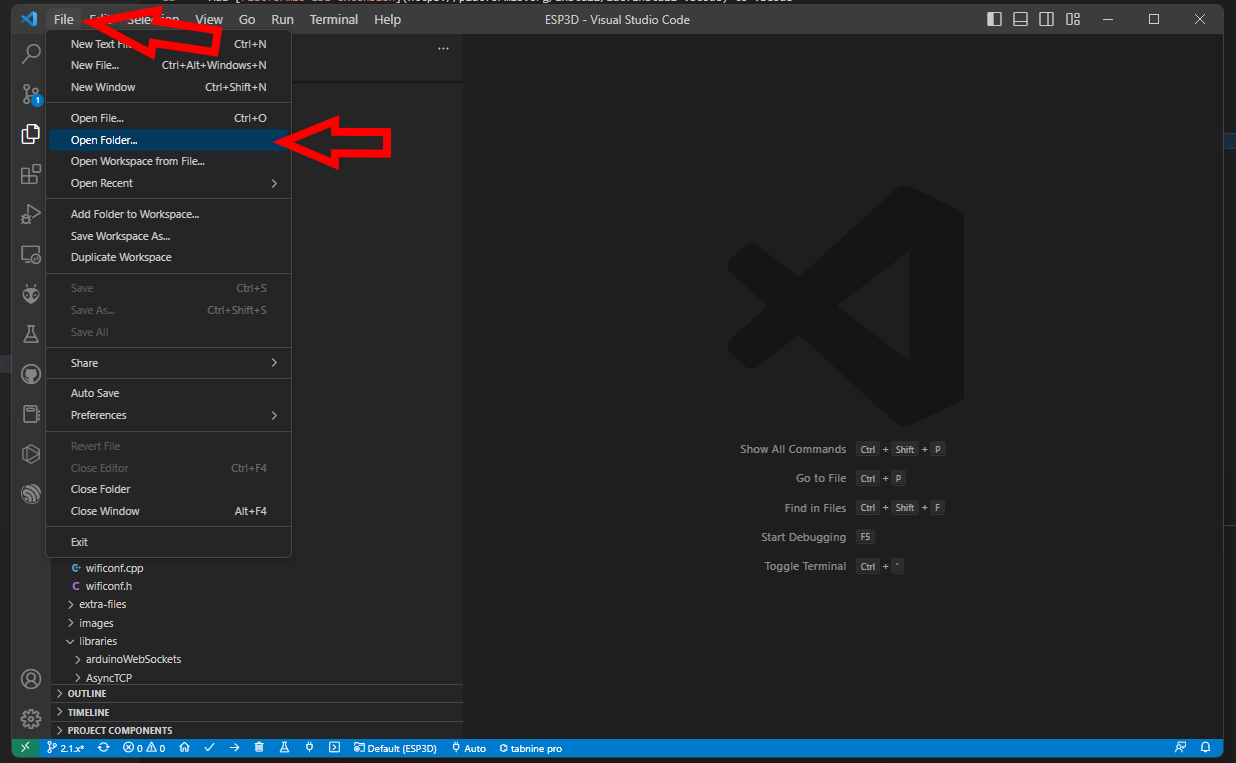
Open the ESP3D directory in VSCode
Section titled “Open the ESP3D directory in VSCode”The first time you open the project, VSCode needs to download all necessary files, so be patient.
Configure ESP3D
Section titled “Configure ESP3D”See the Configuration page.
Select the target in VSCode
Section titled “Select the target in VSCode”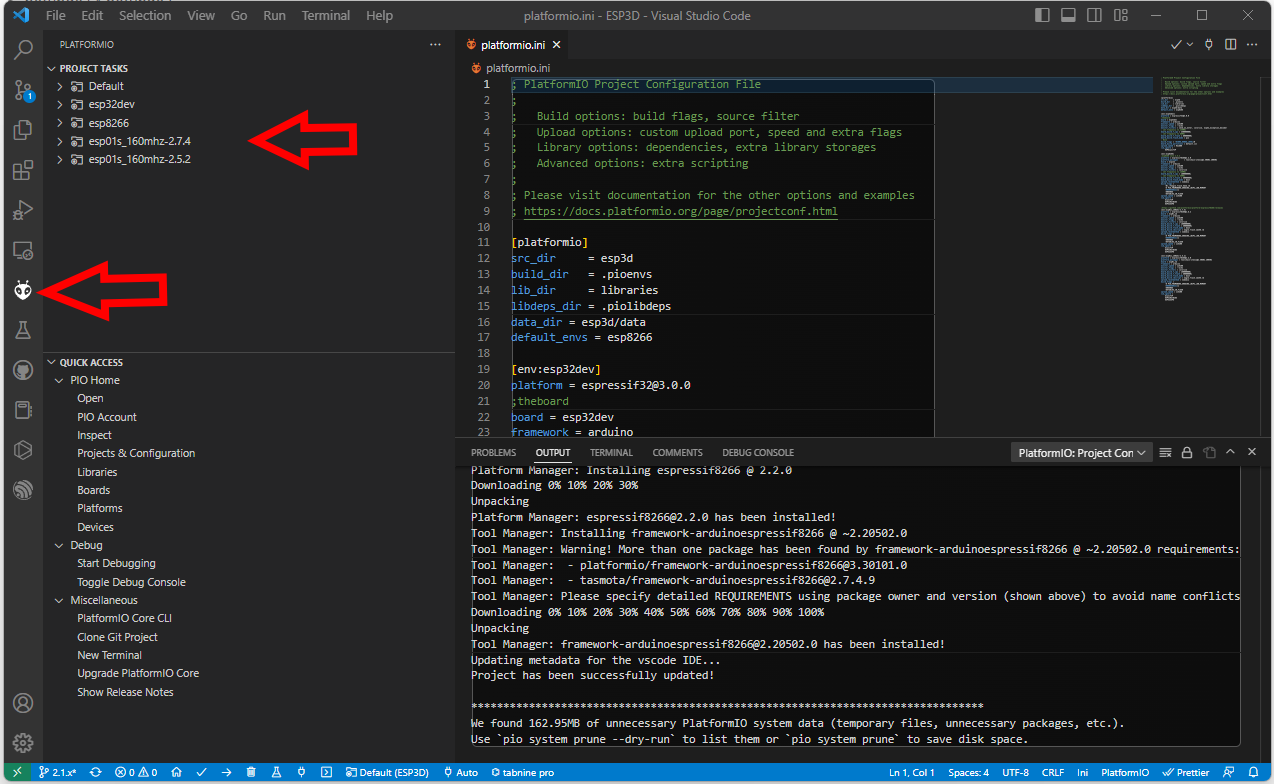
- Use
env:esp32devfor ESP32 boards - Use
env:esp8266for ESP8266 boards with 4MB flash - Use
env:esp01s_160mhz-2.7.4for ESP8266 boards with 1MB flash
Connect your board
Section titled “Connect your board”Check the hardware section for more information.
Compile and flash your module
Section titled “Compile and flash your module”Use Upload and Monitor from the target environment you selected to compile and flash your module.