
Themes are files stored in the themes/ subdirectory of the upload path, or at the root as a fallback. Their name must start by theme- to be recognized.
File naming
Section titled “File naming”theme-<name> plain file (CSS or JSON bundle)theme-<name>.json JSON bundle — explicit extension, also acceptedtheme-<name>.gz gzip-compressed plain filetheme-<name>.json.gz gzip-compressed JSON bundleImportant: the
<name>part must not contain dots. The only accepted extensions are.json(for an explicit JSON bundle) and.gz(for compression). Any other extension will cause the file to be ignored by the scanner.Valid:
theme-dark,theme-dark.json,theme-dark.gz,theme-dark.json.gzInvalid:theme-dark.css,theme-dark.v2,theme-dark.tar.gz
File formats
Section titled “File formats”Legacy format (CSS only)
Section titled “Legacy format (CSS only)”A plain CSS file. Still fully supported. Applied directly as a <style> override on top of the built-in stylesheet.
body, html { background-color: #222; color: #eee;}Bundle format (JSON)
Section titled “Bundle format (JSON)”A JSON file containing all assets. Detected automatically when the file parses as valid JSON.
{ "manifest": { "name": "Dark Blue", "version": "1.0.0", "owner": "ESP3D", "github": "https://github.com/luc-github/ESP3D-WEBUI", "description": "Dark theme with custom font and controls overrides.", "supportedVersion": "3.*", "targetSystem": "*" }, "variables": { "--accent": "#e8622a", "--accent-hover": "#c04d1e" }, "css": "body, html { background-color: #222; color: #eee; } .btn.btn-primary { background: var(--accent) !important; }", "fonts": [ { "family": "MyFont", "data": "<base64-encoded font file>", "format": "woff2", "weight": "400", "style": "normal", "display": "swap" } ], "scripts": ["https://cdn.jsdelivr.net/npm/animejs@3/lib/anime.min.js"], "js": "console.log('theme loaded');"}All fields are optional. Injection order: variables → css → fonts → scripts (sequential) → js.
Bundle fields
Section titled “Bundle fields”manifest (optional object)
Section titled “manifest (optional object)”Metadata and compatibility constraints. If absent, the theme is always accepted.
| Field | Required | Description |
|---|---|---|
name | no | Display name |
version | no | Theme version (semver) |
owner | no | Author / maintainer |
github | no | Repository or homepage URL |
description | no | Short description |
supportedVersion | no | WebUI version pattern (e.g. 3.*, 3.1.*). If absent → accepted on any version |
targetSystem | no | Comma-separated targets (e.g. *, 3d printer, cnc, sand table). If absent → accepted on any target |
variables (optional object)
Section titled “variables (optional object)”CSS custom properties injected on :root before the CSS, as <style id="themevariables">. Keys must start with --.
"variables": { "--accent": "#e8622a", "--accent-hover": "#c04d1e", "--font-size-base": "14px"}css (optional string)
Section titled “css (optional string)”CSS content injected as <style id="themestyle"> after variables. Overrides the built-in stylesheet. Use !important where needed.
fonts (optional array of objects)
Section titled “fonts (optional array of objects)”Custom fonts injected as @font-face rules in <style id="themefonts">.
Each font object supports three source formats:
| Field | Description |
|---|---|
data | Base64-encoded font bytes (offline, self-contained) |
src | URL of the font file (online systems, lighter bundle) |
sources | Array of { src, format } or { data, format } objects for multi-format fallback |
Common fields: family, format (default woff2), weight (default 400), style (default normal), display (default auto).
scripts (optional array of strings)
Section titled “scripts (optional array of strings)”External JavaScript URLs loaded sequentially before the inline js field.
js (optional string)
Section titled “js (optional string)”JavaScript injected as <script id="themescript"> after all scripts have loaded. Runs in the main document context.
Important: Theme JS runs outside the Preact virtual DOM. Do not remove nodes that Preact owns — use
display: noneinstead. Use aMutationObserverif you need to react to DOM changes.
Injection into extensions
Section titled “Injection into extensions”When an extension iframe loads, the WebUI automatically injects the full theme (variables, style, fonts, scripts, js) into it. Extensions receive the full theme without any extra configuration.
Scan for themes
Section titled “Scan for themes”Starting with WebUI 3.1, the WebUI can scan for themes in /themes (or root / as fallback). The scan filters themes by supportedVersion and targetSystem if present in the manifest. Themes without a manifest are always accepted.
How to set a new theme
Section titled “How to set a new theme”Upload theme
Section titled “Upload theme”Upload the theme file using the flash file system panel in dashboard.
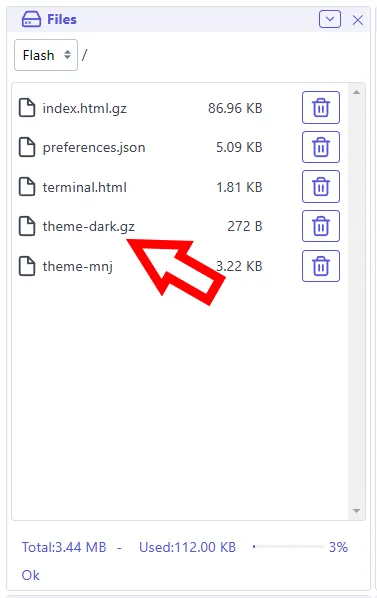
Select theme
Section titled “Select theme”Select theme in interface settings
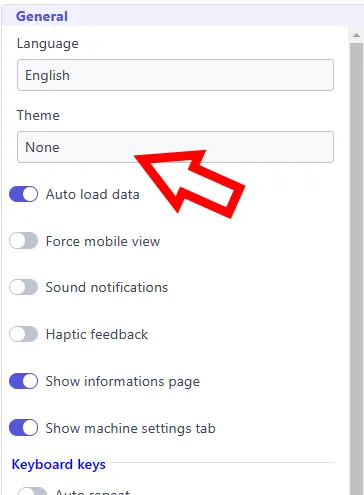
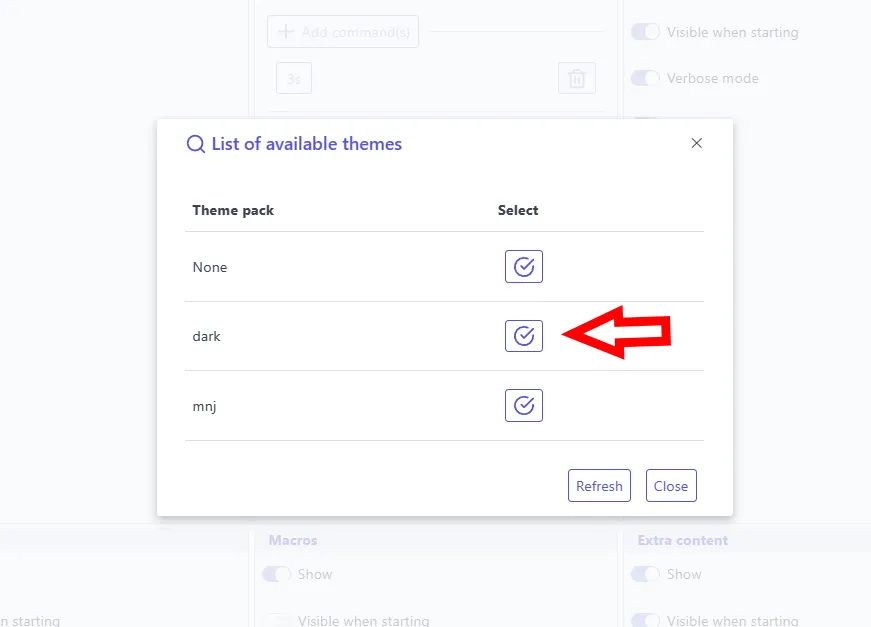
Once changes are applied, WebUI will automatically restart
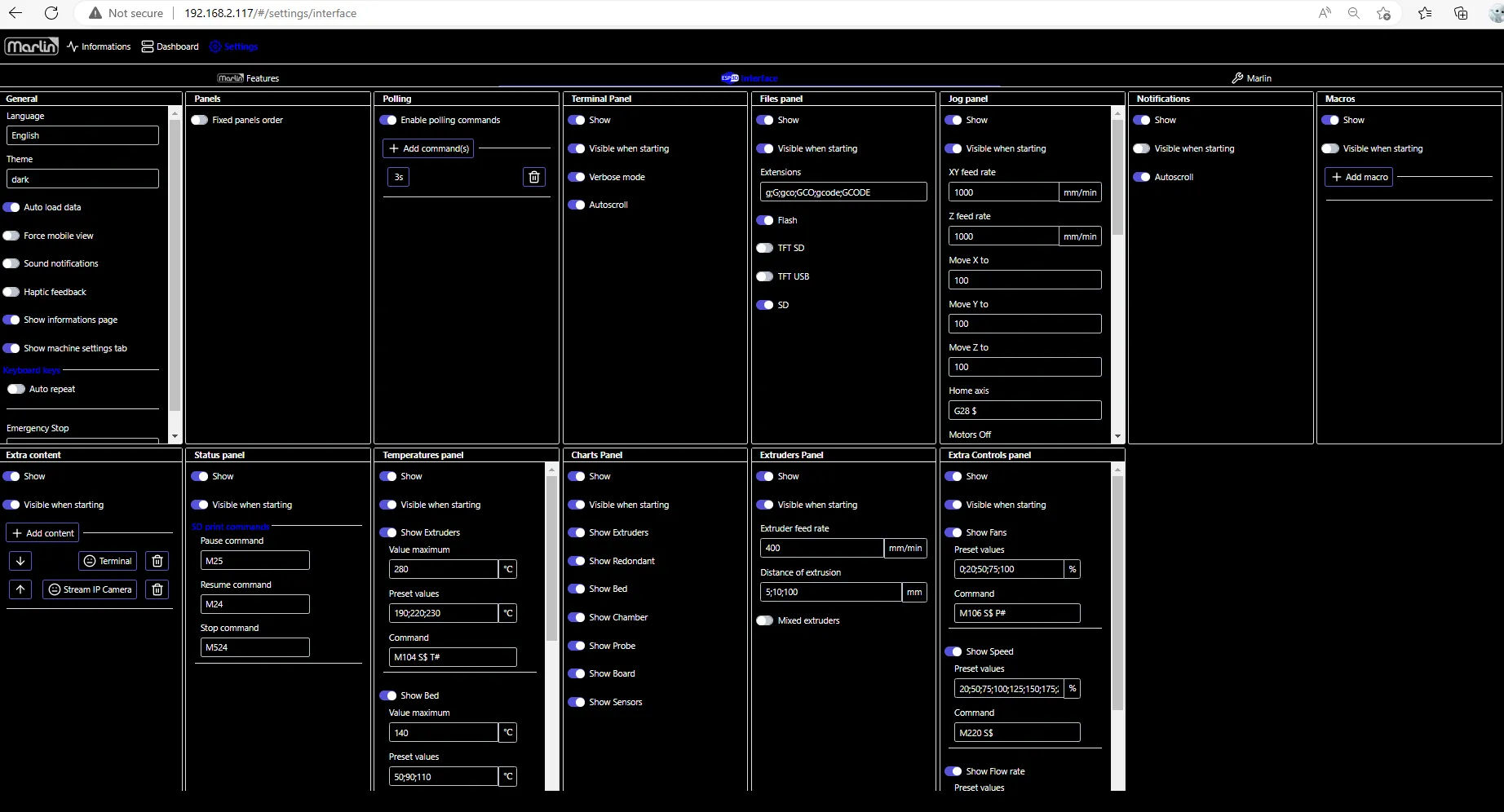
More themes are available in the themes showcase.
Here some themes as examples:
Section titled “Here some themes as examples:”| Theme | Format | Download |
|---|---|---|
| Dark | Legacy CSS (gzipped) | theme-dark.gz |
| MNJ | Legacy CSS | theme-mnj |
| Orca | Legacy CSS (gzipped) | theme-orca.gz |
| Purple | Legacy CSS | theme-purple |
See also the Orca theme showcase page for more details.